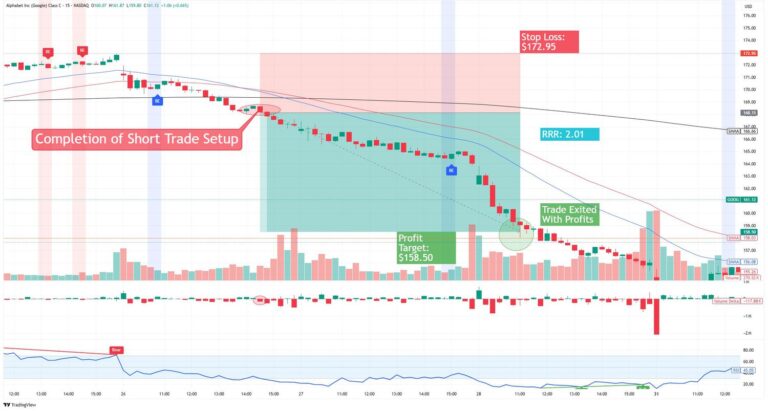
A research call looks simple on the screen: buy this contract, exit there. The hard part is everything around it. What size? Which strategy? Where do I cut the loss? This guide walks through one call from alert to exit in future and options, so you act on research instead of guessing.
Why a Registered Source Matters
Not every call is equal. A tip on a chat group has no name, no record, and no one to answer for it. Research from a SEBI registered analyst comes with a registration number, a stated rationale, and rules the firm must follow. HDFC Securities lists a research analyst registration on its site, and its own page warns investors not to follow rumours from social media. Always check any analyst on SEBI’s website first.
What Lands on Your Screen
Let’s say there’s a call at 9:40. You will have a fully formed idea of your contract, strike, target and stop loss. If any of them is missing, just pause the trade. If there is no exit strategy then you’re just speculating.
Turning the Call Into a Trade
Open your options trading app and find the contract from the call. HDFC SKY lists Quick Options, which are ready made option trades based on your market view, plus a Payoff Analyzer that shows profit and loss before you commit. Check the payoff first. Use the margin calculator to see what you need to trade. Margin is too high? Reduce your lots NOT your stop loss.
Setting the Stop Before You Tap
Place the stop loss at the same moment as the entry. Never promise yourself you will decide later. Emotions run high once money is live. A simple rule helps: risk no more than 2% of your capital on one trade. If the call’s stop is wide, buy fewer lots, even if that feels timid. Large orders can also hit exchange freeze limits, so an Auto Order Slicer that splits them into smaller lots saves time. Then confirm. For future and options orders, the Play Store listing describes single click execution, so it takes seconds.
Managing the Trade After Entry
Now watch, do not hover. Look at the open interest and heatmap once or twice. If the price matches your aim, you will receive gains. If it hits your stop loss then take it. You often get caught over trading or emotionally trading so once you’ve exited your position, close the app and review your call.
What About Costs and Risks?
Costs are modest. Options orders cost ₹20 each on HDFC SKY, and futures cost ₹20 or 2.5%, whichever is lower. The risks here are not small. Leverage can increase your losses which can go above your initial deposit. NEVER mix your savings with derivatives money. Only ever trade if you understand the call.
A Quick Checklist
Before the next call, ask four things. Is the analyst registered? Are the entry, target, and stop clear? Does your options trading app show the payoff and margin up front? Can it place the order fast? Four yes answers mean the call is a plan, not a gamble.